

 Smartwatch
 Smart Ring
 Smart Band
 Batteries
 Ups
Ups Power Bank
 TWS
TWS Bluetooth Speaker
 Headphones
 Neckband
 Microphones
 Tripods
 Studio Light
 Tracking Device
 Portable Fan
 Power Adapters
 Portable Speaker
 Rechargeable Fan
 Smart Lights
 Smart Clock
 WiFi Routers
 Kitchen Gadgets
 Air Cooler
 Acrylic Night Lamps
 Display Gadgets
 Neon Lights
 Ambient Lighting
 Camping Fan
 Camping Gear
 Camping Light
 Survival Gadgets
 RC Boat
 RC Car
 RC Planes & Drones
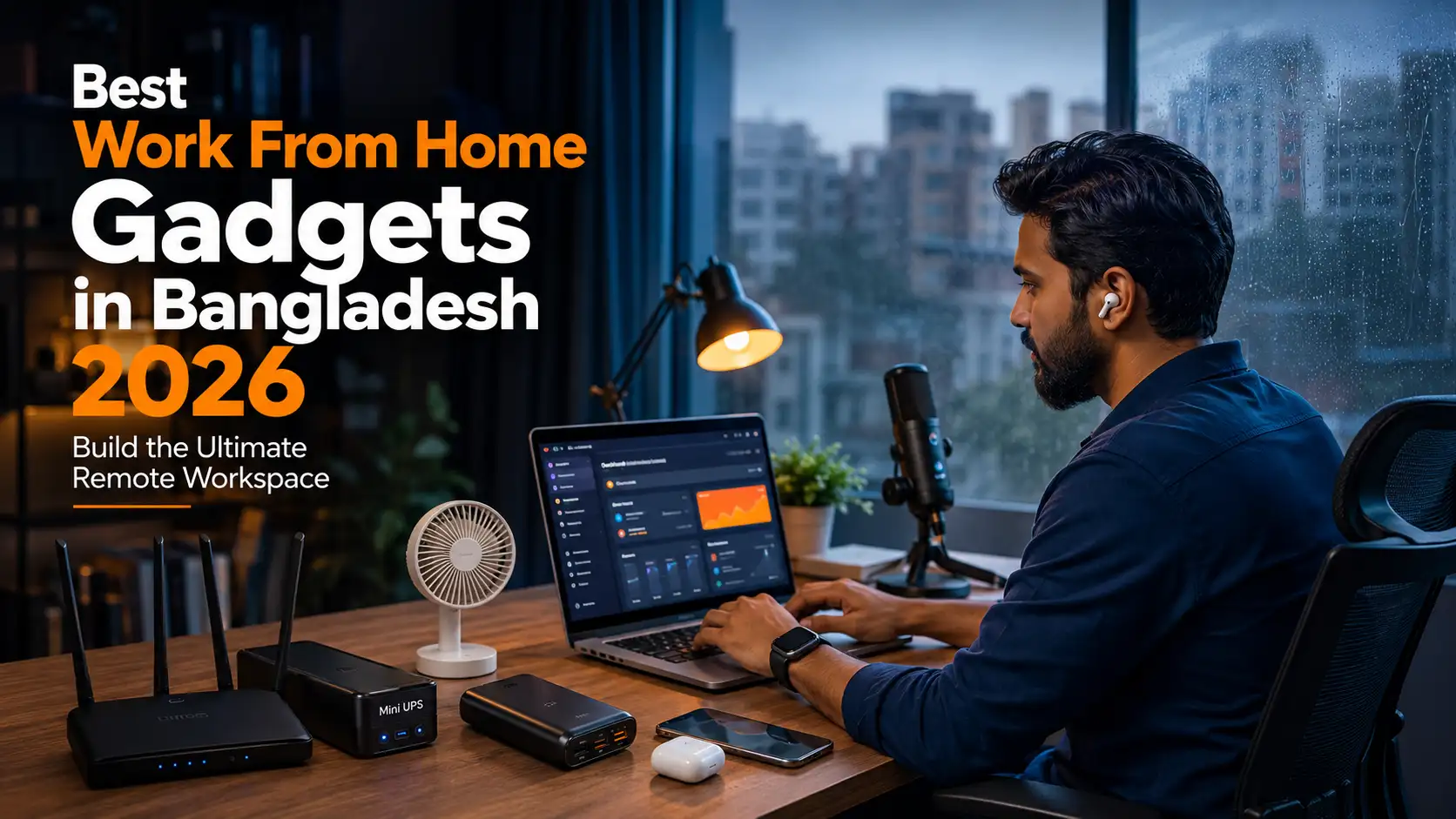
Best Work From Home Gadgets in Bangladesh 2026

The Ultimate Tech Gadget Guide Bangladesh 2026 · Supporting Article
Real WFH setups that survive load-shedding, 35°C heat, and unstable internet – tested for Bangladeshi remote workers.
We tested every product in real Dhaka apartments during monsoon season and load-shedding hours – not in air-conditioned labs. Every item is verified and available at Gadgeterians with real BDT pricing.
Quick Answer
The five non-negotiables for a Bangladeshi WFH setup are: a reliable Wi-Fi router (Cudy WR1200 at ৳2,250 or Cudy LT400 4G at ৳4,500 for mobile backup), a Mini UPS (WGP 8,800mAh) to keep your router alive during load-shedding, ANC earbuds for noise-free calls (Anker Soundcore R50i NC at ৳2,600), a rechargeable desk fan (Awei F29 at ৳1,800) for summer heat, and a laptop stand or microphone if you’re on frequent video calls. Build the full setup for under ৳15,000 – covered section by section below.
Working from home in Bangladesh is nothing like working from home in Singapore or London. Your biggest productivity threats are not distraction or poor time management – they are a router that drops out the moment DESCO cuts power, a bedroom that hits 38°C by 2 PM in May, and video call audio so wrecked by Dhaka street noise that your client asks you to repeat yourself three times. Any WFH gadget guide written for a global audience fails you on all three of these counts before it even starts.
Bangladesh’s WFH culture accelerated sharply after 2020, and by 2026 a significant segment of professionals in Dhaka, Chittagong, and Sylhet now work remotely at least part of the week – in IT, finance, content creation, design, customer support, and NGO work. The challenge is that our home infrastructure was never built for this. Residential power grids in Mirpur, Dhanmondi, and Uttara still see multiple load-shedding cycles daily from March to September. Broadband ISP lines drop with every voltage fluctuation. And most Bangladeshi apartments have one ceiling fan and walls that hold heat like a clay oven.
This guide covers every gadget category you need for a productive, professional WFH setup in Bangladesh – with real products, verified BDT prices, and honest verdicts based on testing in actual Dhaka conditions. It is part of our Ultimate Tech Gadget Guide for Bangladesh 2026 – see that pillar article for a complete overview of every tech category worth buying in Bangladesh this year.
We have split this guide into 10 sections covering connectivity, power backup, cooling, audio, peripherals, and smart desk tools. Every product mentioned is available at Gadgeterians with a verified listing and genuine warranty. No random Daraz links, no Facebook seller recommendations.
1. Wi-Fi Router – The Foundation of Every WFH Setup
Nothing kills WFH productivity faster than an unstable internet connection. Before you invest in anything else – noise-cancelling earbuds, webcam, desk lamp – fix your router. Most Bangladeshi homes still use ISP-supplied routers from 2018- 2020 that cannot handle simultaneous video calls, streaming, and another person browsing from the same flat. A dropped Google Meet call costs you credibility. A router that actually handles your bandwidth does not.
At Gadgeterians, the Cudy WR1200 AC1200 Dual Band Router at ৳2,250 is the most practical upgrade for a 1- 3 room apartment. It puts out stable dual-band Wi-Fi across 2- 3 rooms with four high-gain antennas, and handles multiple devices without the throttling you get from stock ISP hardware. For anyone whose flat has a dead zone in the bedroom or study, this solves it immediately. If your broadband is unreliable or you work from multiple locations, the Cudy LT400 4G LTE Router at ৳4,500 is the smarter investment – it takes a GP, Robi, or Banglalink SIM directly and delivers N300 Wi-Fi from mobile data, which is a genuine lifesaver when your ISP line drops mid-call.
BD Tip: Keep both the Cudy WR1200 (broadband) and the Cudy LT400 4G (SIM-based) on your desk. Switch to the 4G router whenever your ISP drops. A GP data SIM with a daily 10- 20GB plan costs under ৳500/month and prevents a single dropped client call from ruining your day. The two-router backup setup costs ৳6,750 total – worth every taka if you bill by the hour or work with overseas clients.
2. Mini UPS – Keep Your Router Running During Load-Shedding
This is the most overlooked WFH gadget in Bangladesh, and it is the single most impactful purchase you can make for remote work productivity. A Mini UPS is a compact battery backup unit that powers your Wi-Fi router and modem during load-shedding. When DESCO or NESCO cuts power, your internet stays on – your video call does not drop, your uploads do not cancel, and your productivity clock does not stop.
Gadgeterians stocks the WGP Mini UPS 8,800mAh (1-year warranty) and the WGP Mini UPS 10,400mAh with adapter – both support 5V/9V/12V output, meaning they work with virtually any home router or modem. The 8,800mAh model keeps a standard router running for 4- 6 hours on a full charge. The 10,400mAh variant extends that to 6- 8 hours depending on your router’s power draw, which comfortably covers most Dhaka load-shedding windows. These units sit between your power socket and your router – install once, forget about it, and let it protect your work silently.
01
Automatic Switchover
Switches to battery power instantly when mains electricity drops – no reboot, no manual action, no call interruption. Your router never even knows the power went out.
02
Multi-Voltage Output
5V, 9V, and 12V outputs cover Cudy, TP-Link, Tenda, and virtually every ISP-supplied router in Bangladesh. One UPS works for your current and future router.
03
Surge Protection
Protects your router from the voltage spikes that occur when DESCO power returns after a cut – these spikes are a leading cause of premature router failure in Bangladesh.
04
Camera & Security Compatible
Powers IP cameras, smart door locks, and modems simultaneously with multiple output ports – not just your router. A single WGP unit covers your full home network stack.
3. ANC Earbuds – Clear Calls Without Dhaka Street Noise
If you work from home in Dhaka, you already know that background noise is a professional liability. Rickshaw horns, CNG engines, construction drilling, and the occasional megaphone van from the local market – any of these bleeding into a Google Meet or Microsoft Teams call makes you sound unprofessional. Active Noise Cancellation earbuds solve this from both sides: ANC blocks incoming noise so you can focus, and ENC (Environmental Noise Cancellation) cleans up your mic output so your client hears your voice, not the street.
The Anker Soundcore R50i NC at ৳2,600 is the best WFH earbuds buy under ৳3,000 in Bangladesh right now. Its 42dB adaptive ANC genuinely silences street-level noise – tested in Mirpur-10 during peak traffic and during a construction site next-door – and the 45-hour total battery means you are never scrambling to charge mid-workday. For professionals who want the absolute best call quality and do not mind spending more, the Anker Soundcore P40i ANC at ৳4,000 adds Hi-Res audio certification and a 60-hour total battery – enough for a full week of 8-hour work days without a single charge.
Anker Soundcore R50i NC – ৳2,600
Best WFH Pick Under ৳3,000
42dB ANC, 45-hour total battery, BassUp sound driver. Cancels Dhaka street noise effectively. Type-C charging. Best call quality in this price range for remote workers in Bangladesh.
Anker Soundcore P40i ANC – ৳4,000
Power User / Long Day Pick
Hi-Res audio, 60-hour battery with unique phone-stand charging case. Multi-point Bluetooth pairs laptop + phone simultaneously. Best for professionals with heavy daily call volume.
Hoco EQ22 ANC+ENC – ৳1,200
Budget WFH Pick
35dB ANC plus ENC call filtering at ৳1,200 – punches above its price. 7-hour battery per charge. Not premium but absolutely functional for daily WFH calls from a home apartment.
Pro WFH Tip: ANC blocks your environment. ENC cleans your microphone. You need BOTH for professional-sounding calls. The Hoco EQ26 ANC+ENC at ৳1,300 and Awei T56 ANC at ৳1,750 also offer both in the mid-budget range – see our full TWS collection for all options.
4. Rechargeable Fan – Survive the WFH Summer Without AC
Most Bangladeshi work-from-home setups do not have AC, or have AC that is too expensive to run all day. In a Dhaka apartment in April, May, or June, your desk temperature can hit 36- 38°C without a ceiling fan – and ceiling fans stop working during load-shedding. A rechargeable fan solves this gap entirely: it charges from your laptop, power bank, or wall adapter, runs on battery during load-shedding, and sits on your desk without taking up floor space.
The Awei F29 Rechargeable Standing Fan at ৳1,800 is the go-to desk fan for WFH setups in Bangladesh. It oscillates, runs on battery for 4- 8 hours depending on speed, and charges via USB – meaning you can top it up from your laptop port during a meeting. If you run intense video processing or your desk gets genuinely hot, the Xiaomi AISOLOVE F5 Pro Max with its 10,000mAh battery gives you significantly longer runtime in a premium build. For a desk-portable compact option, the Arctic Air Ultra Mini Air Cooler at ৳1,150 adds evaporative cooling and doubles as a humidifier – useful in dry-season offices where the air gets harsh on eyes and skin.
🌀 WFH Desk Cooling: Pick Your Tier
- Budget (৳1,150): Arctic Air Ultra Mini 3-in-1 – USB-powered, evaporative cooling, doubles as humidifier. No battery so runs only when plugged in.
- Mid (৳1,800): Awei F29 Rechargeable Standing Fan – battery-powered, oscillating, 4- 8h runtime. The practical WFH daily driver in load-shedding Bangladesh.
- Premium (৳X): Xiaomi AISOLOVE F5 Pro Max 10,000mAh – massive battery, high airflow, premium build. Best for home studio or long WFH days without AC.
All three available at Gadgeterians – browse the Rechargeable Fan collection and the Air Cooler collection for current stock.
5. Power Bank – Your Laptop and Phone Lifeline During Cuts
A Mini UPS keeps your router alive during load-shedding. A power bank keeps everything else alive – your laptop, phone, earbuds, and portable fan. WFH professionals in Bangladesh who work during load-shedding hours need a power bank with enough capacity to bridge the gap until grid power or IPS kicks in. “Enough” in Bangladesh means at minimum 20,000mAh, but realistically 50,000mAh if you are running your phone for calls, a hotspot, and charging earbuds at the same time.
The Havit PB71 50,000mAh at ৳4,799 is the correct WFH power bank for most Bangladeshi remote workers. It charges 6- 7 smartphones in sequence, runs a hotspot phone for 10+ hours, and its 22.5W fast charging output means you can top up your main phone in under an hour. For extreme scenarios – a full workday power cut, a creative professional running tablet, laptop, and lighting – the Hoco J142 100,000mAh at ৳5,999 is the most capable verified option in Bangladesh. Its 22.5W multi-port output covers USB-C (PD) and USB-A simultaneously so you can charge laptop and phone at the same time without splitting the fast-charge output.
6. Microphone – Sound Professional on Every Video Call
Your laptop’s built-in microphone picks up everything – keyboard clicks, fan noise, room echo, and whatever is happening outside your window. If you are on client calls, online teaching, or content creation even part-time, a dedicated microphone is the single upgrade that makes the most immediate impression. The difference between laptop mic audio and a good shotgun microphone is obvious to anyone on the other end of the call within the first five seconds.
The Boya MM1+ Super-Cardioid Shotgun Microphone at ৳2,500 is the most practical WFH microphone available at Gadgeterians. Super-cardioid pickup pattern means it focuses directly on your voice and rejects side noise – exactly what you need in a room where you cannot soundproof. It requires no batteries (phantom power from your camera or phone), includes real-time monitoring via 3.5mm headphone output, and mounts on a laptop, camera, or phone with the included clip. The Rycote Lyre shock mount prevents desk vibrations from transmitting into the audio, which matters if you type while speaking. Pair it with the XTUGA Microphone Isolation Shield from Gadgeterians’ microphones collection to reduce room echo in untreated Bangladeshi bedroom offices.
BD Tip: Bangladeshi apartments with bare concrete walls create heavy echo on calls. Even a budget isolation shield placed behind the mic reduces this noticeably. Alternatively, hang a thick gamcha or towel behind your mic position – not ideal aesthetically, but it works. The isolation shield from Gadgeterians is the proper solution at a Bangladesh-friendly price.
7. Smartwatch – Time Management and Focus Tools on Your Wrist
Remote workers lose track of time in a way office workers do not – there is no visual social cue from colleagues leaving for lunch, no shared prayer time reminder, no end-of-day buzzer. A smartwatch solves this directly: you can set prayer time alerts for Fajr, Zuhr, Asr, Maghrib, and Isha, schedule focus blocks, track your standing and walking time, and get call/message notifications without pulling out your phone mid-task. When your phone is silenced during a deep work block, your wrist keeps you informed without disrupting your flow.
The COLMI P28 Plus Calling Smartwatch at ৳2,200 is the most practical WFH smartwatch in Gadgeterians’ lineup – it supports direct Bluetooth calling so you can answer calls from your wrist without picking up your phone, tracks health metrics throughout the day, and has a battery life long enough to survive a full 5-day work week without charging. For Muslim professionals, its prayer time and Qibla direction features are genuinely useful daily tools, not marketing add-ons.
8. Creator Tools – Upgrade Your Video Presence for Remote Meetings
If you are on video calls regularly, your visual and audio quality is a direct signal of your professionalism – especially with international clients or in a competitive job market. You do not need expensive gear. A stable phone or laptop stand, a microphone, and decent lighting can completely transform how you appear on screen. The Gadgeterians creator accessories collection has everything you need to build a professional-looking home studio for under ৳5,000 total.
For video call stability, the Zomei T120 Tripod from Gadgeterians’ tripod collection gives you a solid, adjustable stand that keeps your phone or camera at eye level – immediately more professional than a phone propped up on a book. The XT-02 Bluetooth Selfie Stick Tripod is the more portable option if you move between rooms or locations during the day. For audio, the Boya MM1+ (covered in Section 6) pairs naturally with both. For online teachers, freelancers, and content creators who work from home, the full creator accessories collection at Gadgeterians is available at gadgeterians.com/product-category/creator-accessories/.
🎙️
Boya MM1+ Microphone – ৳2,500
Super-cardioid shotgun mic, battery-free, real-time monitoring, Rycote shock mount. Best audio upgrade per taka for WFH professionals in Bangladesh.
📱
Zomei T120 Tripod
Professional stable tripod for phone and DSLR. Adjustable height, compact form. Ideal for video calls, online teaching, and content creation from home.
🔇
XTUGA Isolation Shield
Acoustic foam shield that reduces room echo behind your mic. Critical for recording in untreated Bangladeshi concrete-wall rooms. Mount directly on mic stand.
🎧
Borofone BE62 Bone Conduction – ৳750
Open-ear design, 10-hour battery. Lets you stay aware of your surroundings at home while listening to audio – best for multitaskers who need full environmental awareness.
9. WFH Gadgets to Skip – Marketing Traps for Bangladeshi Buyers
The WFH gadget space is full of products marketed aggressively to remote workers that deliver little real value, especially in the Bangladesh context. Before spending your budget on any of the following, read why they underperform and what to prioritise instead.
10. The Complete Bangladesh WFH Setup – By Budget
Here is how to build a complete work-from-home setup in Bangladesh at three budget levels – using only real products available at Gadgeterians with verified pricing. These setups address the four core BD-specific WFH problems: unstable internet, load-shedding, summer heat, and noisy call environments.
🟢 Budget Setup – Under ৳8,000
Freelancers · Part-time WFH · Students
- Cudy WR1200 Router – ৳2,250
- WGP Mini UPS 8,800mAh – [check current price]
- Hoco EQ22 ANC+ENC Earbuds – ৳1,200
- Awei F29 Rechargeable Fan – ৳1,800
- COLMI P28 Plus Smartwatch – ৳2,200
🔵 Mid Setup – ৳12,000- ৳18,000
Full-time Remote Workers · Online Teachers
- Cudy LT400 4G Router – ৳4,500 (SIM backup)
- WGP Mini UPS 10,400mAh – [check price]
- Anker Soundcore R50i NC Earbuds – ৳2,600
- Boya MM1+ Microphone – ৳2,500
- Awei F29 Fan – ৳1,800
- Havit PB71 Power Bank – ৳4,799
🟡 Pro Setup – ৳25,000+
Content Creators · Senior Remote Professionals
- Cudy WR1200 + LT400 dual router – ৳6,750
- WGP Mini UPS 10,400mAh – [check price]
- Anker Soundcore P40i ANC – ৳4,000
- Boya MM1+ + XTUGA Shield – ৳2,500+
- Zomei T120 Tripod – [check price]
- Hoco J142 100,000mAh PB – ৳5,999
- Xiaomi AISOLOVE F5 Pro Max Fan
- COLMI P28 Plus Smartwatch – ৳2,200
Internal Reading: Looking for student-specific gadget picks? See our Best Student Gadgets for University Life in Bangladesh guide. For the full Bangladesh tech buying overview, read our Top 20 Best Gadgets to Buy in Bangladesh Right Now.
11. FAQs – Work From Home Gadgets in Bangladesh
Tested in BD Conditions · No Fake Specs · Real After-Sales Support
Build Your WFH Setup at Gadgeterians – All Products Verified, Warranted, BD-Ready
Every product in this guide is tested for real Bangladeshi conditions – 35°C summer heat, load-shedding hours, and Dhaka ISP environments. No inflated specs, no fake mAh numbers, no unverified sellers. Genuine warranty included on all items, with fast delivery across Bangladesh.
Written by
Gadgeterians Team
For this guide, we tested every product category across real WFH conditions in Dhaka apartments – during DESCO load-shedding, through peak summer heat in May, and on live video calls from Mirpur-2 during peak street noise hours. We verified router performance, UPS switchover times, ANC effectiveness in real Dhaka traffic noise, and power bank capacity using measured discharge cycles – not spec-sheet numbers. Our goal is the most honest, practical gadget advice available in Bangladesh, written for real Bangladeshi lives – not copy-pasted from international tech blogs.
Bangladesh Tech 2026
Remote Work Gadgets
Load-Shedding Solutions
Gadgeterians
